Keeping your endpoint security software up to date is critical to defending against emerging threats and unlocking new feature improvements. Both **USB Disk Security (Standard Edition)** and **PrivateDLP (Pro Edition)** support automatic periodic update checks and manual on-demand updates.
Automatic Update Check
The client program automatically connects to the update server on a regular schedule to detect available new releases. If a newer software version is detected, a notification will pop up on the Windows endpoint to remind users to download and install the update package. This passive check requires no manual operation from users and helps maintain your security protection continuously.
Manual Update Steps
You can trigger an update inspection at any time manually by following these simple steps:
Open the main program window of PrivateDLP or USB Disk Security.
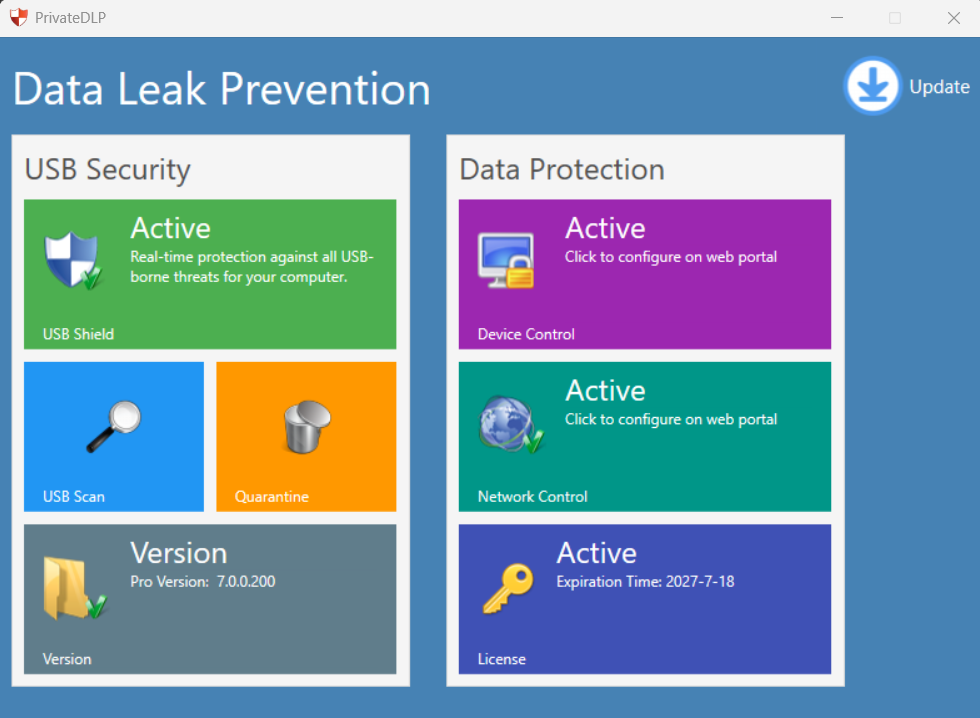
Locate the Update button in the upper-right corner of the main interface and click it.
A dedicated Update window will pop up immediately, and the client will start communicating with the server to verify the current software version.
If a newer version exists: The program will guide you to download and execute the update.
If you are already running the newest release: The message The product is the latest version. will be displayed in the Update window, and no further action is needed.
Important Notes
Update packages deliver critical USB security enhancements, data leak prevention rule optimizations, bug fixes and performance improvements. We recommend installing official updates promptly.
All updates are distributed through our official update channel to guarantee program integrity and security. Avoid installing modified installation files from untrusted third-party sources.
The update process works identically for both USB Disk Security and PrivateDLP. The built-in USB Security antivirus module also receives improvements alongside core program updates.